
How to trust GeoEngineers' Enterprise Developer Certificate
When you initially install GeoGrab using the install link, you will not be able to open the app without manually trusting the developer certificate from GeoEngineers. This is because we are distributing the app outside of the app store and because GeoEngineers does not manage Apple devices internally. Follow the instructions below to approve the certificate. You should only be required to do this the first time you install the app on a new device.
-
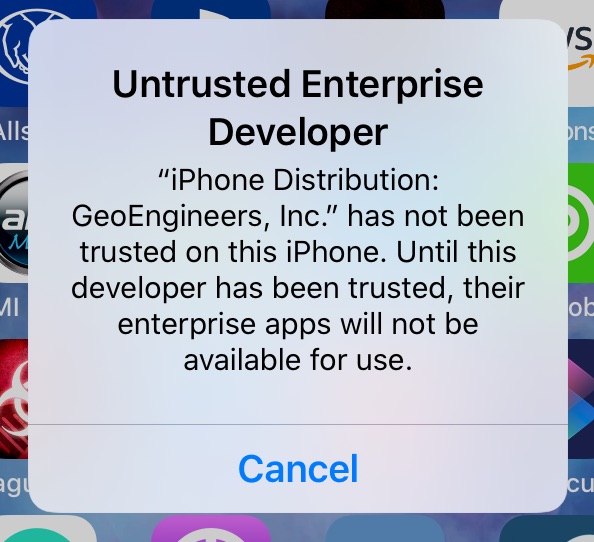
1. Cancel message
When you see this message, tap Cancel.
-
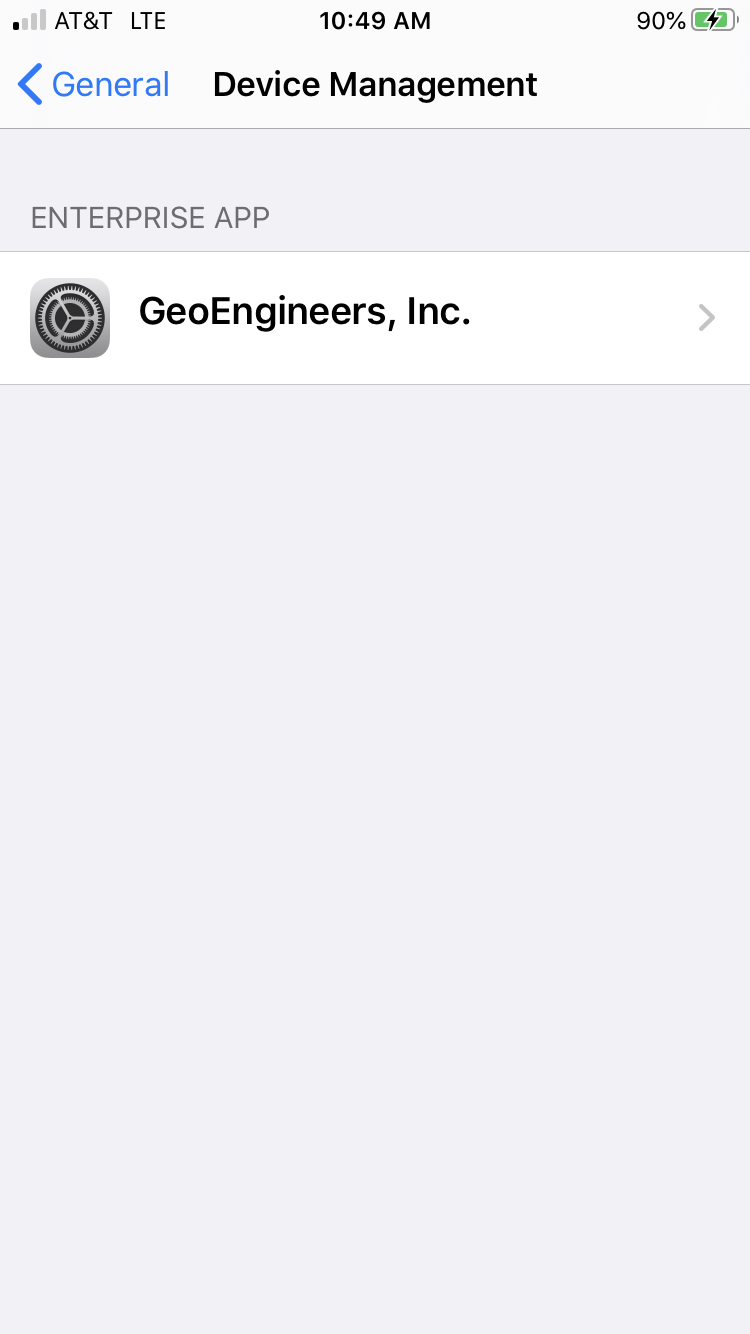
2. Open Settings App
Open the Settings app and navigate to General > Device Management. (This can be called Profiles on older versions on iOS.)
-
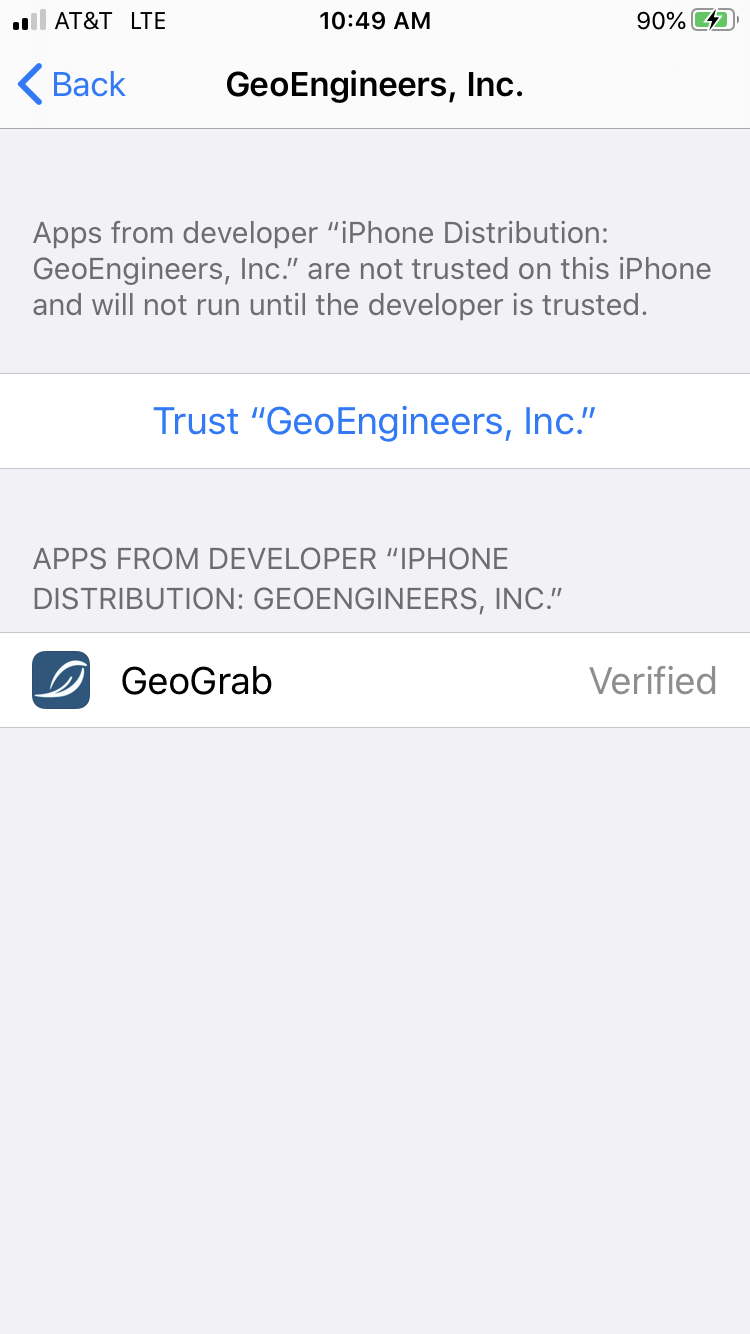
3. Tap on the GeoEngineers, Inc. item
In the Enterprise App list, tap the GeoEngineers, Inc. list item. You'll see GeoGrab listed under Apps from this developer.
-
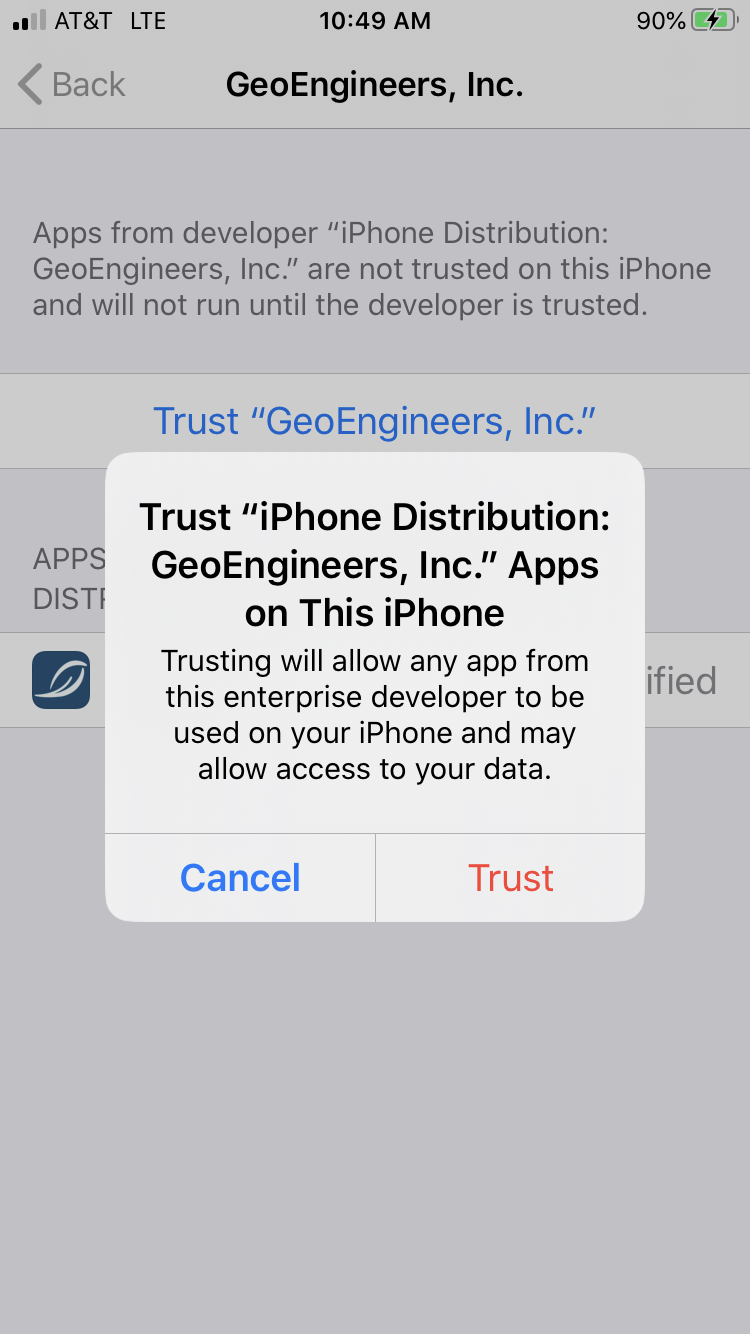
4. Tap "Trust GeoEngineers, Inc."
A dialog will open asking if you'd like to trust apps from this developer on your device. Tap Trust.
-
5. Open GeoGrab
You should now be able to open the GeoGrab app. You should not have to repeat these steps on this device.